
Procreate vs. Clip Studio Paint vs. Photoshop: What Do You Actually Need?
Once you’ve got a tablet, the next question everyone asks is which software to actually draw in. The honest answer: you probably don’t need all three of the programs people mention most. Here’s what Procreate, Clip Studio Paint, and Photoshop each actually get you, so you can pick one instead of collecting all of them.
Procreate — the easiest way to start
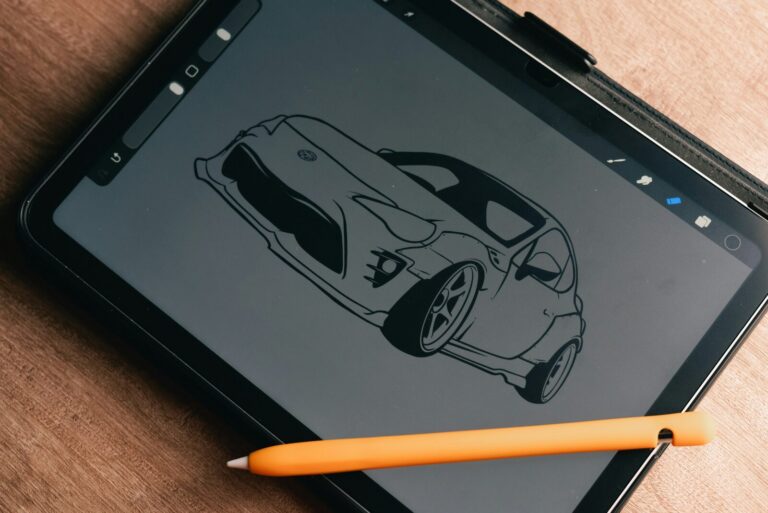
$12.99, one time, no subscription. Procreate is iPad-only (there’s a separate Procreate Pocket for iPhone), and that’s really its only limitation — the app itself is remarkably complete for the price, with a brush engine most people never outgrow. If you’re drawing on an iPad and want the simplest possible way to start, this is it. There’s no affiliate program for Procreate, which is exactly why you won’t see us push it harder than it deserves — we’re recommending it because it’s genuinely the easiest on-ramp, not because it pays us to.
Clip Studio Paint — worth it once you’re serious about comics or anime-style work
Clip Studio Paint comes in two tiers, and the difference actually matters. PRO is $63 one time (or from $0.99/month on the intro subscription rate), and covers single-page illustration beautifully — brushes, line art, coloring, all of it. EX is $277 one time (or from $2.49/month intro), and the only real reason to pay the difference is multi-page work: comics, manga, and storyboards, where EX adds the multi-page tools that PRO leaves out (PRO is built for single-page work). EX also lifts PRO’s 24-frame limit on animation. If you’re drawing single illustrations, PRO is genuinely enough — don’t let anyone talk you into EX before you need it. It also offers a free trial, so you can try it before you pay. (That link is an affiliate link.)
Worth knowing: those subscription prices are introductory. They climb after the first few months, so if you go the subscription route, check the renewal price before you commit rather than being surprised later.
Photoshop — probably not your first program
$22.99/month on Adobe’s standard single-app plan. Photoshop is an extraordinary tool, but it was built for photo editing and compositing first, illustration second — and at nearly $23 a month ongoing, it’s a real cost for a beginner who mostly wants to draw. If you already know you need Photoshop specifically (photo manipulation, certain design workflows), it’s worth every penny. If you’re just starting in digital art and drawn to it because it’s the “famous” one, Procreate or Clip Studio Paint will likely serve you better for less money.
So which one?
Drawing on an iPad and want the simplest start: Procreate (you’ll need an iPad to run it). Interested in anime, manga, or comic-style work, or on Windows/Android: Clip Studio Paint PRO, upgrading to EX only when you actually hit its page limits. Drawing on a computer? Our beginner drawing tablet guide covers what to pair it with. Already need Photoshop for something specific: Photoshop. There’s no wrong answer here — just an honest one for where you actually are right now.
A quick honest note: the Clip Studio Paint and Amazon links in this post are affiliate links, which means we may earn a small commission if you buy through them, at no extra cost to you. Procreate has no affiliate program, and our mention of Photoshop is not an affiliate link. See our affiliate disclosure for how we handle this sitewide.
2 Comments